★★★★★ Excellent  4.9/5 (1000)
100% Original
🛡️ 1 Year Warranty

6AV6372-2DF67-1AX0 Siemens SIMATIC Energy Manager PRO Original Brand New

$404.87

6AV6372-2DF67-1AX0

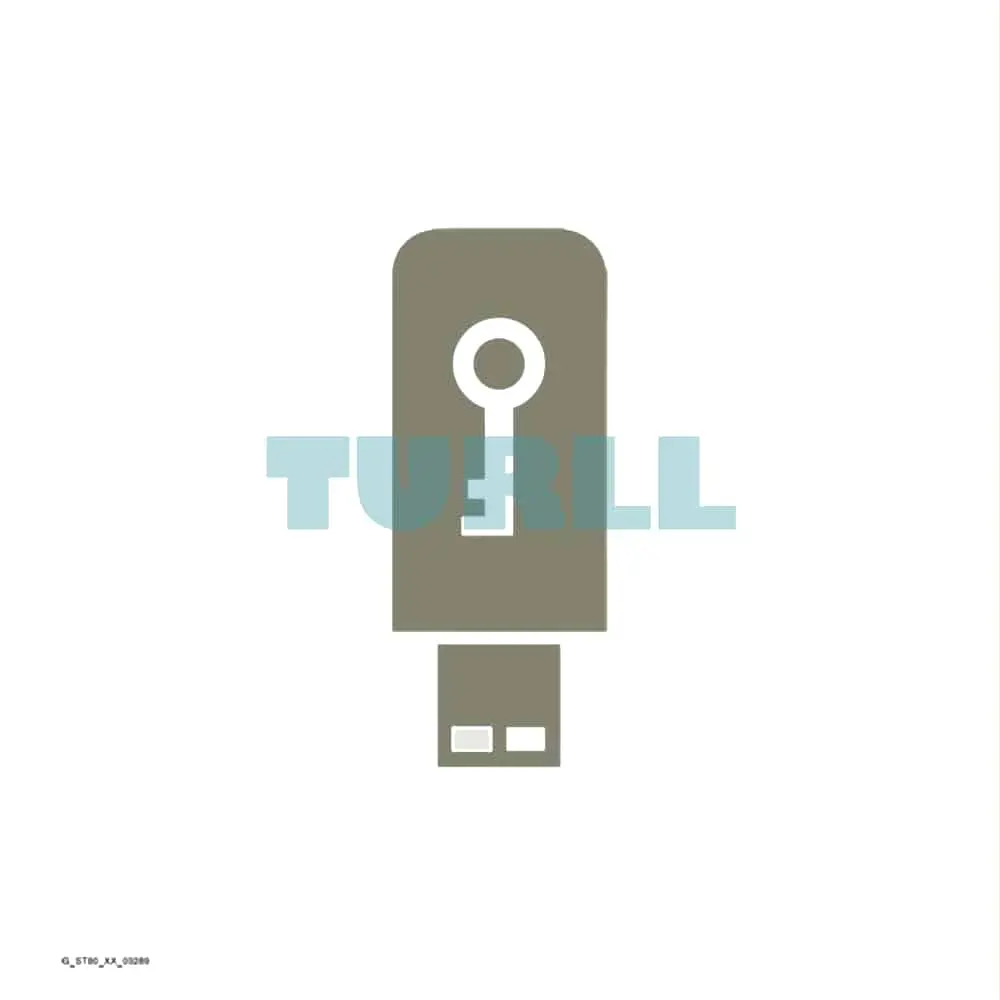
Siemens SIMATIC Energy Manager PRO Consumer Package 1, including EE-Monitor; increases the number of consumers by 1 consumer; engineering/runtime software; single license; license key on USB flash drive; without software and documentation – – content: 1x USB

- +
SKU: 6AV6372-2DF67-1AX0 Category:
Global Express Shipping DHL / FedEx / UPS
100% Original & Brand New Factory Sealed Box with 1-Year Warranty
Secure Payment SSL ENCRYPTED
We accept Visa, Mastercard, PayPal, Google Pay and Apple Pay

[ez-toc]

Overview

SIMATIC Energy Manager V7.5 energy management system

SIMATIC Energy Manager V7.5 makes energy flows and costs transparent – in both infrastructure and production.

SIMATIC Energy Manager provides users with a scalable, non-sector-specific energy data management system.
Its functions range from energy monitoring, energy controlling, energy invoicing, baseline management and prognosis, through to the management of energy efficiency measures with a Target Cockpit.
Among other things, SIMATIC Energy Manager provides an extensive and easy-to-use report system, as well as a dynamic, widget-based web dashboard for analyzing and distributing data once it has been acquired and analyzed.

SIMATIC Energy Manager is available in a Basic and a PRO version.

Advantages:

  • Appropriate energy efficiency measures can be devised based on performance indicators and display options. When implemented successfully, cost savings are achieved.
  • Power monitoring offers the basis for a secure power supply
  • Transparency at cost center level raises employee awareness and forms the basis for specifying clear, easy-to-understand aims, as well as for monitoring their achievement
  • Technological processes and plants in production (for example: analysis based on machine status) can easily be connected and allow for energy performance evaluation
  • Transparency combined with prognosis functions increases planning reliability and opens up new opportunities in energy procurement
  • Energy controlling, with its flexible reporting and analysis functions, helps to ensure that efficient systems remains efficient
  • Characteristic values can be freely defined to facilitate substantiated statements on increasing the efficiency of power generation systems and consumers
  • Transparency – with the OPC UA (HA) server or the REST API, data can be made available to additional applications
  • It fulfills the legal obligations for monitoring and reporting on greenhouse gas emissions (CO2 emissions). Determination of the product’s carbon footprint of the emissions generated during production.
  • Decarbonization goals are an integral part of the corporate strategy of many companies. Nevertheless, the following questions very often remain unanswered: What is the status of my goal achievement and where am I on the decarbonization path? Where should I invest? Is the measure economical? With the Target Cockpit in Energy Manager, we provide exactly these answers.

Energy Manager Basic:

  • Definition of the asset structure with the objects country, location, asset as well as an alternative organizational structure
  • Target Cockpit for easy monitoring of efficiency targets and management of corresponding efficiency measures
  • Determination of product-specific emissions generated during production, including transfer of this data to SiGREEN
  • Baseline management according to ISO 50006
  • Easy configuration of dashboards, charts and reports
  • With power monitoring, it is possible to analyze detail data of the measuring instruments
  • Configuration of data points and the OPC UA, OPC DA, OPC HDA, Energy Suite, WinCC/PCS 7, Modbus/TCP, Modbus/TCP, Desigo CC and ASCII interfaces, as well as manual data acquisition
  • Transfer of historical energy data from the PAC 2200 CLP or PAC 4200 via Modbus TCP
  • Definition of derived data points in order to store performance indicators as a time series and export them, for example.
  • Simple authorization concept
  • The web client is available in the languages en, de, fr, it, es, zh
  • Configuration of key figures using a formula editor or parameters to map prices or factors
  • Tabular overview and options for structuring data sources, data points, performance indicators and parameters
  • Configuration of essential settings, e.g. email settings, backup, units, regional settings, account settings
  • Provision of data with the OPC UA server and a REST API

Energy Manager PRO:

  • The S7 energy efficiency monitor as an instruction in the TIA Portal allows machine status-related energy data acquisition. Data is transferred to Energy Manager PRO via a communications module.
  • Uniform and comparable display of efficiency indicators of machines/lines/cost centers
  • Display of energy consumption and costs at machine level and cost center level
  • Energy consumption and costs per workpiece or shift
  • Benchmarking of same machines/workpieces from different manufacturers
  • Batch-related analysis with aggregation options along production lines, aggregation across several systems in which the same product is produced, and much more.

Note:

Upgrading from SIMATIC Energy Manager 7.4 to SIMATIC Energy Manager 7.5 is possible at any time and is included in the SIMATIC Energy Manager SUS.

Benefits

Highlights

Asset structure

  • The Asset Model has made it easier for the user to structure the content in order to be able to find it more quickly. In the Asset Model, a distinction is made between the objects country, site, asset and organization.
  • Objects such as data points, parameters, KPIs or even dashboards, reports, charts and matrices can be assigned to each asset object without them being displayed directly in the tree. This has the advantage that the asset model remains clear as a central navigation tool, but further information can be easily retrieved.

Target Cockpit

  • With the Target Cockpit, the energy manager has a firm grip on the decarbonization path. The definition of targets forms the basis of the Target Cockpit. The individual measures are managed centrally and are taken into account in the achievement of targets after project approval. In the Target Cockpit, the user will find answers to the following questions:
    • What is the status of my target achievement and where am I on the decarbonization path?
    • Where should I invest?
    • Is the measure economical?

CO2 Cockpit

  • New regulations such as the Corporate Sustainability and Reporting Directive (CSRD) require industrial companies to provide more and more detailed information. In addition to the corporate carbon footprint, for which the entire company must be accounted for, the product carbon footprint is playing an increasingly important role.
  • The Energy Manager helps to create the necessary transparency and, for the product carbon footprint, it focuses on the emissions that occur during production. This is referred to as the “production phase”. Our customers are faced with the challenge of how to allocate consumption to products and assign general emissions that cannot be measured directly at the machine/line.
  • The activity data per batch can be transferred to SiGREEN. In SiGREEN, the emission from production is combined with the emission from the supply chain and the entire product carbon footprint can be made available to the end user.

Other features and improvements

  • A new analysis view, the box plot, is available in the dashboard.
  • The grid of the dashboard can be defined. In this way, the different requirements can be addressed in a more detailed manner.
  • Widgets can be made transparent so that any background images can be better displayed.
  • Widgets can now be copied. The connected data points can be replaced so that the settings, such as color, can be retained.
  • With a dashboard clone, the connected data points and KPIs are now also adopted.
  • The Service Cockpit has been incorporated into the new design.
  • In the chart as well as in the chart widget
  • The chart or matrix has been transferred to the new design and, like the chart widget in the dashboard, now also offers the detailed views to be able to analyze the data directly without additional engineering. The alarms and comments have been revised for applicability.
  • In the case of the quick links, the font and icon color can be defined. The selected quick link is highlighted and the path is visible in the settings of the quick link.
  • Batch analysis has been improved in terms of applicability.

Design

SIMATIC Energy Manager V7.5

SIMATIC Energy Manager is available in a Basic and a PRO version.
Basic is the starter version and is entirely web-based. An upgrade from the Basic to PRO version is possible by means of a license key.
Both versions are supplied in a basic package to which tag packages can be added.

The SIMATIC Energy Manager Basic package includes:

  • 50 tags
  • 1 Energy Manager PRO acquisition component
  • 1 Energy Manager web client

The SIMATIC Energy Manager PRO basic package includes:

  • 50 tags
  • 1 Energy Manager PRO acquisition component
  • 1 Energy Manager PRO client
  • 1 Energy Manager web client

Available tag packages:

  • 50 tags
  • 100 tags
  • 250 tags
  • 500 tags
  • 1 000 tags
  • 5 000 tags
  • 30 000 tags
SIMATIC Energy Manager Software Update Service (SUS)

For each Energy Manager system there is a corresponding SUS (Software Update Service), which is dependent on the number of tags or consumer packages.

The SUS is valid for 1 year. The contract is automatically extended by 1 more year unless canceled 3 months prior to expiration.

SIMATIC Energy Manager extensions

The scope of Energy Manager can be extended with add-on packages:

  • Energy Manager web clients (3, 20 or 60)
  • Energy Manager PRO client
  • Energy Manager PRO acquisition component
  • Energy Manager PRO planning and forecast
  • Consumer Package 1 with S7 EE-monitor
  • Consumer Package 5 with S7 EE-monitor
  • Consumer Package 25 with S7 EE-monitor
  • Consumer Package 1 without S7 EE-monitor
  • Consumer Package 5 without S7 EE-monitor
  • Consumer Package 25 without S7 EE-monitor

The number of clients and web clients indicates the number of times simultaneous access is possible.

Function

Acquisition and pre-processing of energy and operating data
  • In addition to an interface to the SIMATIC Energy Suite, SIMATIC Energy Manager also offers the latest interface standards such as WinCC, PCS 7, Desigo CC, OPC UA, OPC DA (DA, HA), OPC HDA, MODBUS TCP, OLE DB, ASCII and XML, as well as machine drivers to the S7-EE monitor
  • Preprocessing of energy data in a real-time calculation core that can be freely modeled including a formula editor for defining and configuring new calculation functions (heat calculations for boilers, quality for cogeneration plants, etc.)

Simple definition of performance indicators enabling rapid identification of relationships and dependencies:

  • Energy Manager app for iOS and Android for mobile counter data acquisition
  • Automatic plausibility check and generation of substitute values
  • Long-term archive with versioning and compression functions
  • Matrix editor and measured value editor for entering and processing energy and operating values
  • Chart for presenting up-to-date (online) and historical load curves, as well as setpoint/actual value analyses
  • Management and analysis of energy data
  • Energy management dashboards for creating cross-company transparency through visualization of performance indicators and display of Sankey diagrams.

Monitoring

An important component of energy data management is the display and evaluation of operating data and performance indicators for the purpose of identifying actions for optimization and lowering costs and consumption.

Energy Manager provides the appropriate tools for displaying and evaluating operating data and performance indicators:

  • Display of current and projected operating values together in one chart
  • Reporting on quantities produced, consumption and costs
  • Display of all relevant company data on a single dashboard

Controlling

Effective energy controlling is based on information about when and where energy is required. This is the only way that detailed information about optimization and potential savings can be provided. Reliable performance indicators form the basis for reports, such as those required for implementation of ISO 50001 requirements.

Energy Manager is the tool for effective controlling tasks:

  • Freely configurable balance calculation of the energy flows of different media such as electricity, gas, or steam, from the main supply down to sub-distribution systems
  • Determination of performance indicator values with direct reference to production batches or quantities for energy-related evaluation of production equipment
  • Evaluation of energy purchase invoices for various media by entering counter readings, power and calculation parameters
  • Target-performance analysis of energy consumption and costs according to predefined reference profiles or parameters
  • Determination and display of statistical parameters such as time lines, distribution of hours or daily temperature figures
  • Benchmarking of various plants or sites
  • Machine-status-related energy analyses

Energy Manager’s automatic reporting system is used for presentations:
Information is displayed in Microsoft Excel or Microsoft Word and can be prepared there as a table or diagram overview. In this way, you can generate, for example, monthly reports with current figures in Microsoft Excel, Microsoft Word or PDF format without additional configuration effort.

Cost-center-oriented accounting

Clear allocation creates awareness for saving energy and regulates accountability. Only those who are charged directly with the costs that they cause will be willing to change their behavior. By assigning costs according to the “costs-by-cause principle” and through incentive systems, cost center managers can accelerate energy-saving measures. Energy Manager enables costs-by-cause balance calculation of energy and material flows as well as allocation to individual plants, customers or cost units.

  • Flexible modeling of hierarchic accounting structures
  • Tariff allocation of quantities, flexible price assessment with tariff and price time series
  • Transfer of consumption figures/costs to the ERP system

Baseline management

The ability to calculate performance indicators is a core task of an energy data management system. However, even if performance indicators are available, the user often still has to interpret them. With baseline management, a model based on historical data can calculate a theoretical energy consumption (baseline) for any time.

This theoretical energy consumption serves as a default value for energy monitoring or energy controlling. This enables the user to see at any time whether the actual energy consumption is above or below the calculated theoretical level. If the cumulative deviation of these two values over time is calculated, it is possible to determine the efficiency of a plant.

Batch-related energy data analysis

In particular, if the energy consumption of a plant depends on the material produced, a batch-related analysis is essential. In the Energy Manager, the plants can be mapped and the indicators to be calculated can be defined, added and calculated.
The calculation of the indicators is performed immediately after data acquisition and is available to the user for further analyses.
The user can restrict the selection using a plant filter, material filter or batch filter and perform a detailed analysis in the chart for the selected batches. Using a grouping function, the batches can, for example, be grouped into batches where the same material has been manufactured.

Energy forecast

Energy Manager PRO places all relevant information at your fingertips to give you the most accurate forecast possible of energy demand and of the load curve for one or more sites, buildings, production areas or individual consumers.

  • Generation of requirement forecasts based on production-dependent factors (production planning) and base-load profiles (typical days)
  • With multi-variable regression analysis, it is simple to evaluate and model influencing factors. This model can be used to calculate the future energy demand

Target Cockpit / measure management

With the Target Cockpit, the energy manager has a firm grip on the decarbonization path. The definition of targets forms the basis of the Target Cockpit. The goals can be defined at the group level as well as at the site level. The individual measures are managed centrally and are taken into account in the achievement of targets after project approval. In the Target Cockpit, the user will find answers to the following questions:

What is the status of my target achievement and where am I on the decarbonization path?

  • In the Target Cockpit, the user gets an overview of the achievement of targets at group level. All measures that are in the status Approved, Implementation, Evaluation, Realized are taken into account. In addition, the user receives a tabular overview of the sites and how they contribute to the achievement of targets. With just one click, the user has access to the selected actions and can query the details.

Where should I invest?

  • In many cases, there are many ideas or measures that are already known but have not yet been approved by management. The question often arises as to where I should invest in order to achieve my targets. In the Target Cockpit, the user can call up all measures. Using the predefined filter “Where to invest?”, the user receives all measures that have already been planned accordingly but have not yet been approved by management. Depending on the use case, the user will find the appropriate answer.

Is the measure economical?

When defining the measure, the user can store essential data such as costs and savings for each medium. When defining the medium, the price per unit and the CO2 equivalent are also stored. This data, together with a price for a CO2 certificate and the internal interest rate, is used to evaluate the measure and the key investment figures are calculated.

Power monitoring

With power monitoring, it is easy to acquire and analyze detail data of the measuring instruments in order to enhance the availability of their electrical power distribution.

  • With just a few clicks, it is possible to make measured values of current, voltage and cos phi, visible.
  • Should a system fail, it is possible to accurately analyze the detail data for this point in time and detect potential causes such as transients and voltage dips.

Energy reporting

  • Freely parameterizable report generator for creating balances, protocols, bills
  • Fully automated reporting, email dispatch and document management
  • Energy Manager web client for company-wide viewing of dashboards, reports and results
  • Information about discrepancies from specified parameters through KPI warning system

6AV6372-2DF67-1AX0

Siemens SIMATIC Energy Manager PRO Consumer Package 1, including EE-Monitor; increases the number of consumers by 1 consumer; engineering/runtime software; single license; license key on USB flash drive; without software and documentation – – content: 1x USB

Visit 6AV6372-2DF67-1AX0

For more our products visit turll.com

Weight 0.201 kg
Dimensions 184.00 × 267.00 × 32.00 mm

Reviews

There are no reviews yet.

Be the first to review “6AV6372-2DF67-1AX0 Siemens SIMATIC Energy Manager PRO Original Brand New”
Shopping Cart
6AV6372-2DF67-1AX0 Siemens SIMATIC Energy Manager PRO6AV6372-2DF67-1AX0 Siemens SIMATIC Energy Manager PRO Original Brand New
$404.87
- +
Scroll to Top