SIEMENS
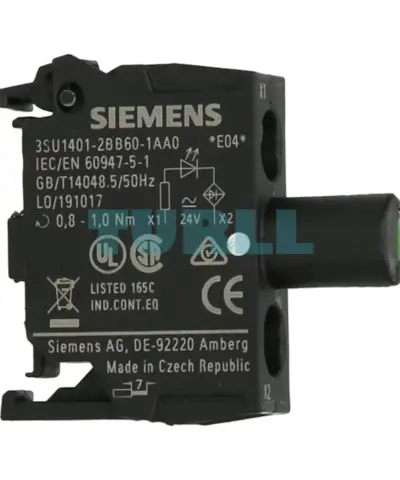
Siemens 3SU1401-2BB60-1AA0 LED Module 24V AC/DC, White, Integrated LED, Screw Terminal Original Brand New
3SU1401-2BB60-1AA0
Original price was: $8.74.$3.50Current price is: $3.50.
In stock


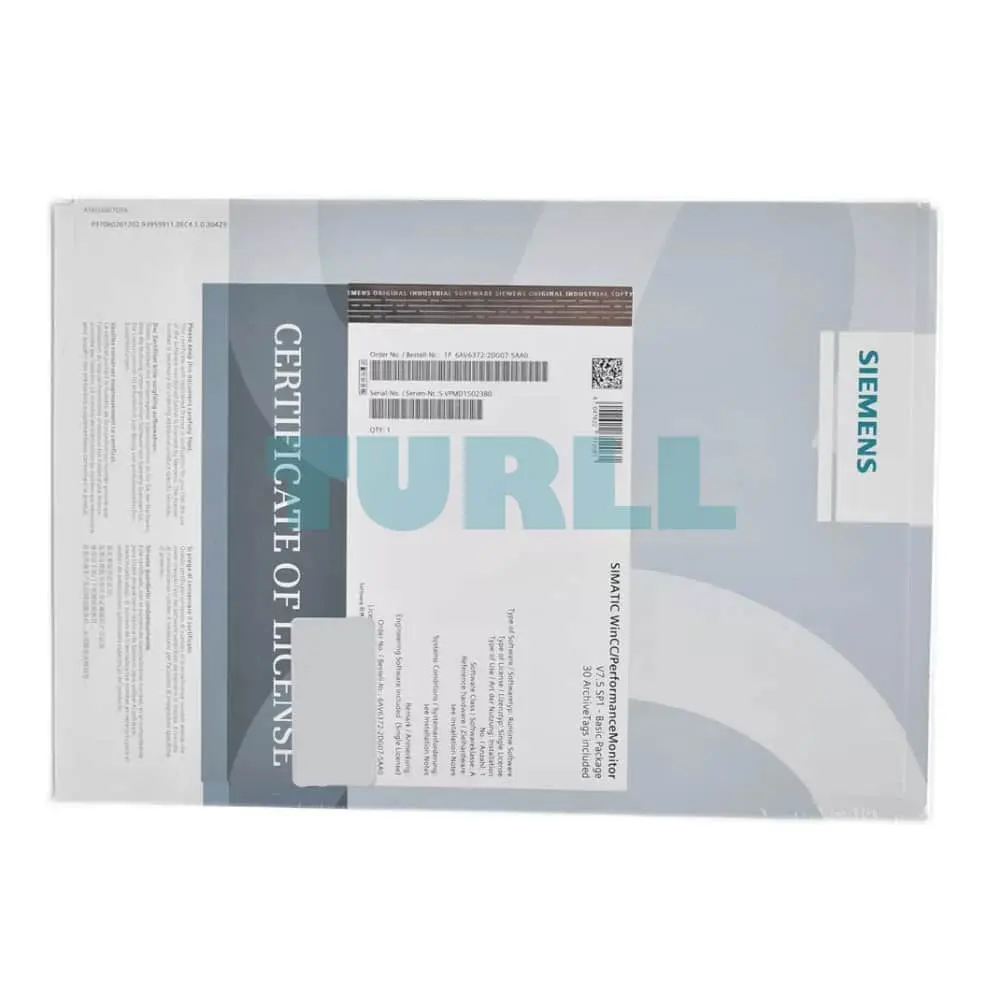
Siemens WinCC/Performance Monitor Basic P, including 30 archive tags, for WinCC V7.5 SP2, runtime software on CD-ROM, single license, license key on USB flash drive – – content: set (1x DVD + 1x USB)
The WinCC/PerformanceMonitor facilitates flexible calculation and powerful analysis of plant-specific key performance indicators (KPIs). The indicators provide the basis for deriving optimization potential, thus enabling productivity enhancement.
They relate to individual machine groups, plant sections or production lines. The elements to be monitored are designated as equipment. Indicators are calculated based on operands which are derived from already configured WinCC tags. By combining them with associated values, more accurate production correlations can be highlighted, such as quality/supplier dependencies.
The calculation formulas used are quick and simple to create in WinCC.
Analysis of the indicators and their operands can be carried out in the WinCC system at any time. Indicators, along with their associated values if required, can be clearly displayed in bar graphs, allowing easy comparison. In addition, the input values of each performance indicator can be shown via an integrated analysis function (drill-down). The Gantt chart illustrates the chronological sequence of the operands. The table display lists the archived values, allowing subsequent correction if required. Performance indicators calculated online, either cyclically or triggered by a tag, can be written to WinCC tags for further processing in WinCC, and display in WinCC images, for example.
The PerformanceMonitor can be combined with the WebNavigator for distribution on the Internet, and with the Information Server for reporting purposes. Integration into WinCC ensures fast configuration and complete transparency across all machine and plant data as a basis for optimizing plant productivity.
Licensing
You can find more information on the Software Update Service, license types, Online Software Delivery and handling your SW licenses with the Automation License Manager at this link
Complete transparency throughout the machine park as the basis for optimizing plant productivity.
Servicing and maintenance
Support through cyclic and process-event triggered calculation of characteristics:
Line management and plant operator
The operator is always kept up-to-date by graphical display of the characteristics.
WinCC Engineering
Creation of performance indicators by the WinCC engineer with subsequent utilization by all user groups in the manufacturing company on WinCC stations or Internet clients.
All user groups benefit from the PerformanceMonitor, from the application engineer to management-level evaluators. The engineer can use the application environment integrated in WinCC to derive individual formulas for calculating performance indicators.
Management uses Web-based reporting without the need for installation on standard computers. For maintenance, the web client of the WebNavigator can be used for analysis with the bar (for performance), progression (Gantt) and table controls. Performance indicators can be displayed on local user interfaces using standard WinCC resources to keep machine operators up to date. The service engineer can analyze the plant from his/her workstation using the WinCC Client, the Webclient of the WinCC/WebNavigator, for example. At the management level, it is possible to access Web-based reports without the need for installation on standard computers.
Siemens WinCC/Performance Monitor Basic P, including 30 archive tags, for WinCC V7.5 SP2, runtime software on CD-ROM, single license, license key on USB flash drive - - content: set (1x DVD + 1x USB)
Visit 6AV6372-2DG07-5AA0
For more our products visit turll.com
| SKU / Model | 6AV6372-2DG07-5AA0 |
|---|---|
| Weight | 0.220 kg |
| Dimensions | 187.00 × 270.00 × 34.00 mm |
Request a quote for project quantities, discontinued or obsolete models, and pro-forma invoice / bank transfer orders. Our sourcing team responds fast.