SIEMENS
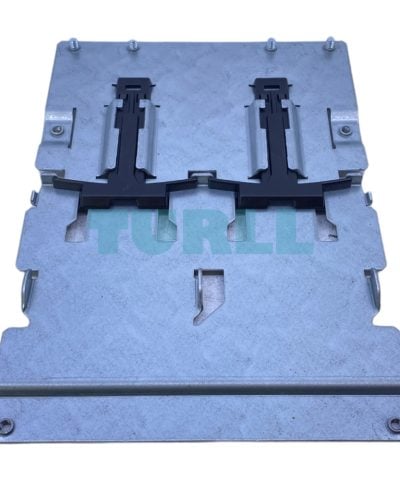
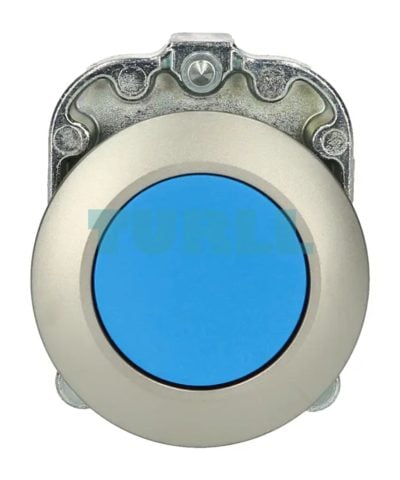
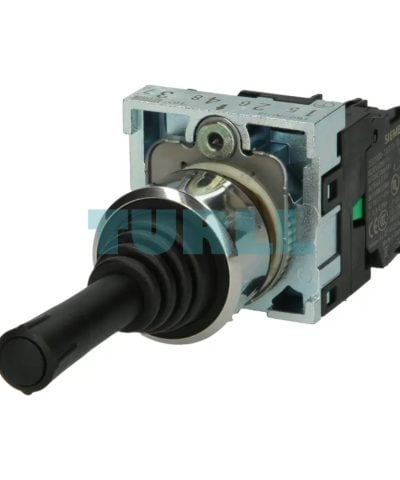
Siemens 3SU1150-7AD88-1NA0 Coordinate Switch 22 mm, Metal, Black, 2-Position Vertical Momentary Switch Original Brand New
3SU1150-7AD88-1NA0
Original price was: $88.50.$48.00Current price is: $48.00.
In stock
Siemens SIMIT Simulation Software . Engineering S . Software Update Service within the Framework of this Contract, you will receive updated Software Versions for a Period of one Year. Extended by another Year, if it is not canceled three Months prior to its Expiration. Period of Delivery and Performance: 1 Year from Date of Invoice Prerequisite for Contract: current Version of the Software
Siemens SIMIT Simulation Software . Engineering S . Software Update Service within the Framework of this Contract, you will receive updated Software Versions for a Period of one Year. Extended by another Year, if it is not canceled three Months prior to its Expiration. Period of Delivery and Performance: 1 Year from Date of Invoice Prerequisite for Contract: current Version of the Software
SIMIT allows you to simulate the interaction between your machine tool or production machine and your automation system at all stages of product development, from commissioning through to sales and after-sales.
Long before you finish developing a machine and building a prototype, you can simulate its performance using SIMIT. For this purpose, the automation system is simply coupled with a virtual behavioral model of the machine. This coupling has been optimized for high-performance machine tools and production machines with state-of-the-art control technology from Siemens such as SINUMERIK and SIMATIC.
SIMIT is a simulation system that supports a wide range of hardware and software interfaces to the automation system: PROFIBUS, PROFINET, PRODAVE, PLCSIM, PLCSIM Advanced, SIMIT Virtual Controller, External Coupling, OPC and Shared Memory. If you want to connect the entire Control Unit, e.g. including the CNC, PLC and the Human Machine Interface to a machine model in SIMIT, you can simply use a hardware interface for PROFIBUS. The axis values of the CNC are transferred to the PLC using the software option SINUMERIK Run MyCC /ADAS and thus become visible for SIMIT. SIMIT provides consistent support for the exchange of data with the engineering environment of your automation system.
Even though computer simulation is often regarded as a highly complex process, you do not need to be a simulation specialist to work effectively with SIMIT. All you need to do is operate the ergonomically designed, graphical user interface of SIMIT, while the application itself processes all mathematical and IT procedures associated with the simulation invisibly in the background. Furthermore, a 3D VRML Viewer (integrated in SIMIT) permits simple visualization of machines and plants.
In addition, it can also be connected to tools such as the Siemens PLM Mechatronics Concept Designer via the Shared Memory interface – for extensive 3D physics simulation.
Based on a modular principle, the simulation model of the machine is created on the SIMIT graphical user interface by the joining together of individual components and Control Units. Simulation elements are simply dragged from the library and dropped into the machine model. The extensive basic library supplied with SIMIT provides you not only with standard arithmetic and logic functions, but also blocks for interfacing a broad range of I/Os of your automation system.
Using SIMIT's component type editor, you can create completely new types of component and use them in your simulations. You can freely define the connections and states of these component types as well as their functional and graphical response, allowing you to work extremely efficiently even when your machine models are complex.
The coupling with SIMIT allows an efficient engineering workflow for hardware-in-the loop simulation. Carrying out load tests and safety tests prior to actual commissioning ensures added protection for personnel and for the machine/system, as well as a reduction in time and costs due to error detection at an early stage.
Simulation of PROFINET
The SIMIT Unit PN offers a comprehensive, reaction-free simulation of the behavior of up to 256 PROFINET I/O devices at the fieldbus in real time.
Simulation of PROFIBUS
The SIMIT Unit PB-2 offers a comprehensive and reaction-free simulation of the behavior of up to 125 PROFIBUS devices at the fieldbus in real time.
Four software packages ranging from SIMIT Engineering S to SIMIT Engineering XL are graded in accordance with the project size. SIMIT can therefore be ideally adapted to all individual requirements. The software packages do not have any differences in functionality.
The following functions are available for SIMIT Engineering:
Requirements:
Visit 6DL8913-0AX00-0AL8
For more our products visit turll.com
| SKU / Model | 6DL8913-0AX00-0AL8 |
|---|---|
| Weight | 0.057 kg |
| Dimensions | 1 × 1 × 1 mm |
Request a quote for project quantities, discontinued or obsolete models, and pro-forma invoice / bank transfer orders. Our sourcing team responds fast.