[ez-toc]
Overview
- Basic Panel 3.6 inches for operating and monitoring compact machines and systems
- Approved in accordance with the railway standards EN 50155, EN 15121, EN 50124, EN 50125 and EN 45545 for use in rail traffic
- Clear process representation through the use of full-graphic displays
- Intuitive operation via touch and tactile function keys
- Equipped with all the necessary basic functions such as reporting, recipe management, curve representation, vector graphics, and language selection
- Easy connection to the controller via integrated Ethernet interface
Benefits
- An integral component of Totally Integrated Automation (TIA):
Increased productivity, minimum engineering overhead, reduction in life-cycle costs
- Short configuring and commissioning times
- Service-friendly thanks to maintenance-free design and long service life of the backlighting display
- Simple and user-friendly representation of process values thanks to, for example, input/output fields, vector graphics, trend curves, bar charts, text and bitmaps
- Graphics library available with off-the-shelf picture objects
- Can be used worldwide:
- 32 languages can be configured (incl. Asian and Cyrillic character sets)
- You can switch between up to 5 languages online
- Language-dependent texts and graphics
Application
The SIMATIC HMI Basic Panels can be used wherever compact machines and plants are controlled and monitored locally.
Design
The SIMATIC HMI Basic Panels are installation-compatible with the existing touch devices of the product family of Panels and Multi Panels.
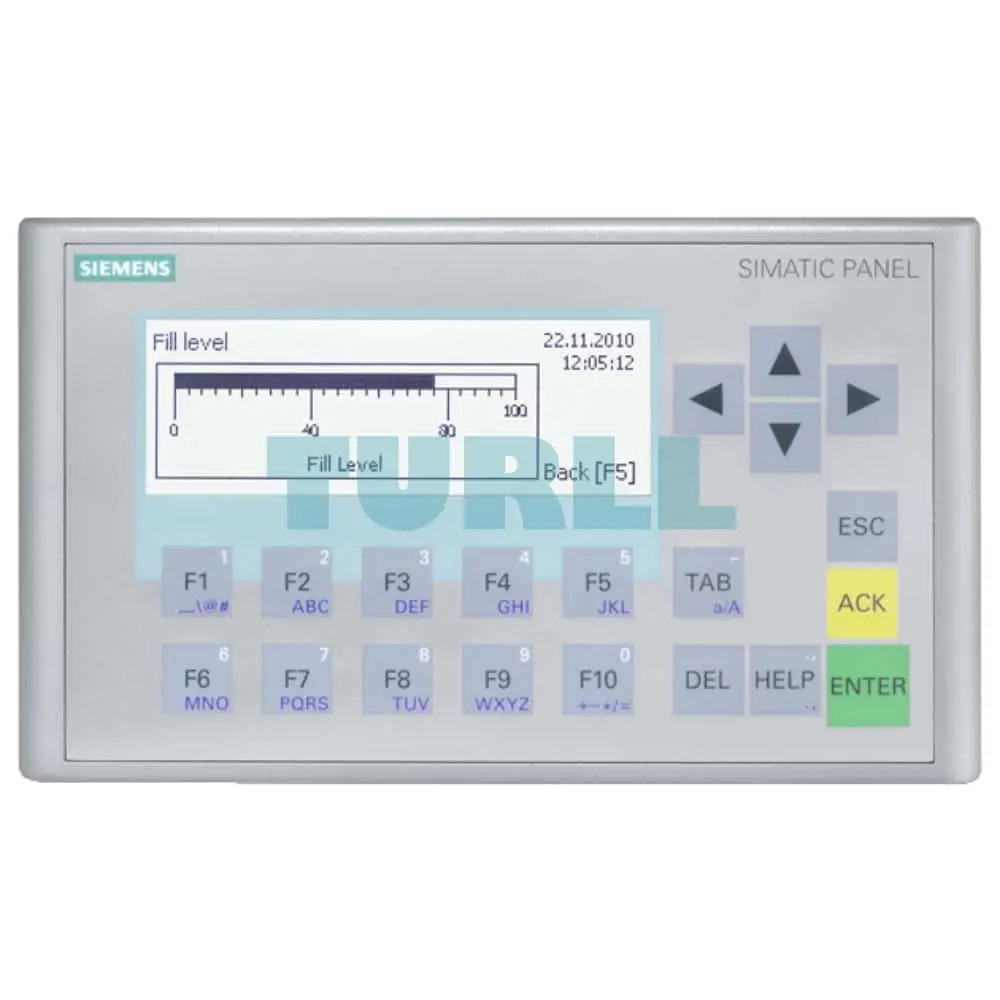
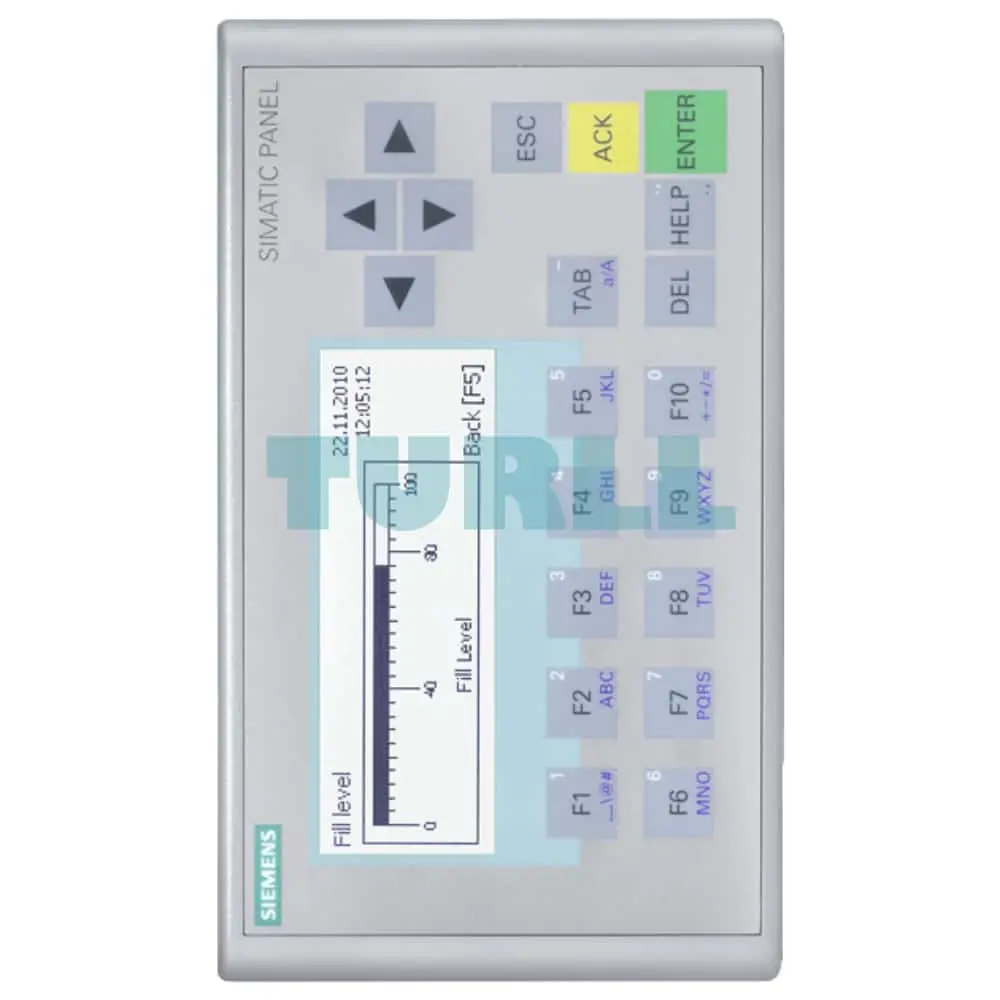
KP300 Basic mono PN
- 3.6" FSTN pixel graphics, monochrome
- 1 Ethernet interface (TCP/IP, PROFINET)
- Touch device with 10 function keys and 10 system keys
- Innovative successor to the Text Displays (TD 100C, TD 200/TD 200C, TD 400C) as well as the OP 73 and OP 73micro
Function
- Input/output fields
for displaying and modifying process parameters
- Buttons
are used for direct triggering of functions and actions. Up to 16 functions can be configured simultaneously on buttons.
- Graphics
can be used as icons instead of text to "label" function keys or buttons. They can also be used as full-screen background images.
The configuration tool contains a library with extensive graphics and diverse objects. All editors with an OLE interface (such as PaintShop, Designer or CorelDraw) can be used as graphics editors
- Vector graphics
Simple geometric basic forms (line, circle and rectangle) can be created direct in the configuring tool
- Predefined texts
for labeling function keys, process pictures and process values in different font sizes
- Curve functions and bars
are used for graphical display of dynamic values
- Language switching:
- 5 online languages, 32 configuration languages incl. Asian and Cyrillic character sets
- Language-dependent texts and graphics
- User administration (security) in accordance with the requirements of the different industries
- Authentication with user ID and password
- User-group-specific rights
- Alarm logging system
- Discrete messages
- Analog messages
- Freely-definable message classes (e.g. status/fault messages) for definition of acknowledgment response and display of message events
- Message history
- Recipe management
- Help texts
for process screens, messages and variables
- Arithmetic functions
- Limit value monitoring
for reliable process control of inputs and outputs
- Indicator light
for indicating machine and plant statuses
- Scheduler for global function execution in case of global events
- Template concept for creation of screen templates (screen elements configured in the template appear in every screen)
- Simple maintenance and configuration thanks to
- Backup/restore of configuration, operating system and firmware on/from a PC using ProSave
- Configuration download via MPI/PROFIBUS DP or PROFINET
- Automatic transfer detection
- Individual contrast or brightness setting (except 6" color) and calibration
- Clean screen
- No battery required
Configuration
The configuration is implemented using the engineering software SIMATIC WinCC Basic, Comfort, Professional or SIMATIC STEP 7 Basic (with integrated WinCC Basic).
6AG2647-0AH11-1AX1
Siemens SIPLUS HMI KP300 Basic mono PN RAIL, OT1: -25...+55 °C ST1/2: 70 °C for 10 minutes with conformal coating based on 6AV6647-0AH11-3AX1 Basic Panel, key operation, 3" FSTN LCD display, black/white, PROFINET interface, configurable as of WinCC Basic V11/ STEP 7 Basic V11, contains open-source software, which is provided free of charge see enclosed CD
Visit 6AG2647-0AH11-1AX1
For more our products visit turll.com