SIEMENS
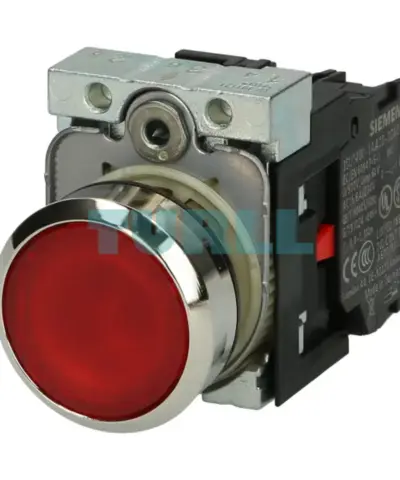
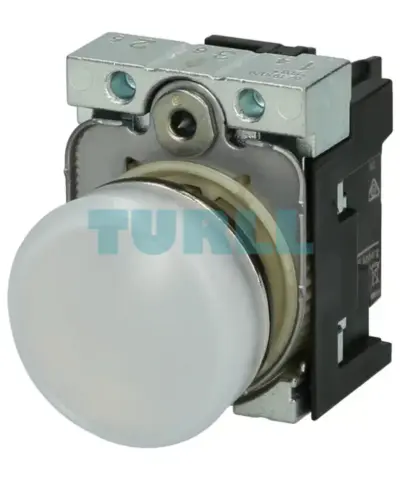
Siemens 3SU1156-6AA60-1AA0 Indicator Light, 22mm, Round, Metal, LED Signal Lamp, White Lens, 230V AC Original Brand New
3SU1156-6AA60-1AA0
Original price was: $24.69.$11.30Current price is: $11.30.
In stock

Siemens TIA Portal Multiuser Engineering Software Update Service (SUS); Within the framework of this contract, you will receive for one year all up-to-date software versions. The contract is extended automatically by 1 year if it is not canceled 3 months prior to before expiration. Period of delivery and service: 1 year from date of invoice. Requirement for conclusion: Current version of the software
TIA Portal Multiuser Engineering allows several users to work on the same project simultaneously. This results in a significant reduction in configuration times, and projects can be commissioned faster.
The basic principle:
The project administration is handled by an autonomous server application. This can be installed independent of a TIA Portal.
New with V19
You can find more information on the Software Update Service, license types, Online Software Delivery and handling your SW licenses with the Automation License Manager at this link.
TIA Portal Multiuser Engineering can be used to implement different working options:
Several configuration engineers work cross-device on different objects. Each configuration engineer processes the objects assigned to him/her on different devices (controllers).
Several configuration engineers work device-oriented on different objects. Each configuration engineer processes the objects assigned to him/her on only one device (controller).
Several configuration engineers work technology-oriented on different objects. Each configuration engineer works on defined technological objects (e.g. Motor_1 or Motor_2) on all existing devices (controllers).
Siemens TIA Portal Multiuser Engineering Software Update Service (SUS); Within the framework of this contract, you will receive for one year all up-to-date software versions. The contract is extended automatically by 1 year if it is not canceled 3 months prior to before expiration. Period of delivery and service: 1 year from date of invoice. Requirement for conclusion: Current version of the software
Visit 6ES7823-1AA00-0YL5
For more our products visit turll.com
| SKU / Model | 6ES7823-1AA00-0YL5 |
|---|---|
| Weight | 0.180 kg |
| Dimensions | 1 × 1 × 1 mm |
Request a quote for project quantities, discontinued or obsolete models, and pro-forma invoice / bank transfer orders. Our sourcing team responds fast.