SIEMENS
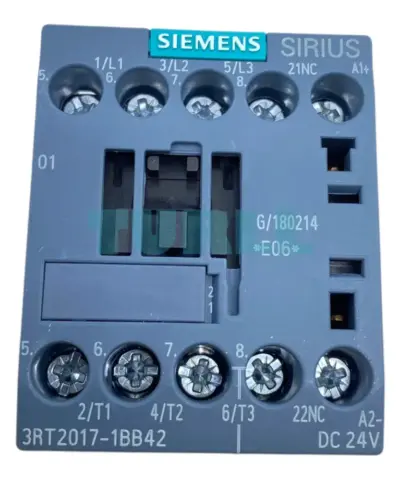
Siemens 3RT2017-1BB42 Power Contactor 12A, 3-Pole, 24V DC, 5.5kW/400V Original Brand New
3RT2017-1BB42
Original price was: $113.30.$63.38Current price is: $63.38.
In stock


Siemens TIA Portal Multiuser Engineering upgrade V14..V18 ->V19 floating license; option for engineering software in the TIA Portal; software and documentation on STEP 7 / WinCC DVD; license key on USB flash drive; class A; 9 languages: de,en,zh included, fr,es,it,ru,ja,ko as download; for system requirements specification, see www.siemens.com/compatool – – content: 1x USB
TIA Portal Multiuser Engineering allows several users to work on the same project simultaneously. This results in a significant reduction in configuration times, and projects can be commissioned faster.
The basic principle:
The project administration is handled by an autonomous server application. This can be installed independent of a TIA Portal.
New with V19
You can find more information on the Software Update Service, license types, Online Software Delivery and handling your SW licenses with the Automation License Manager at this link.
Siemens TIA Portal Multiuser Engineering upgrade V14..V18 ->V19 floating license; option for engineering software in the TIA Portal; software and documentation on STEP 7 / WinCC DVD; license key on USB flash drive; class A; 9 languages: de,en,zh included, fr,es,it,ru,ja,ko as download; for system requirements specification, see www.siemens.com/compatool - - content: 1x USB
Visit 6ES7823-1AA23-0YE5
For more our products visit turll.com
| SKU / Model | 6ES7823-1AA23-0YE5 |
|---|---|
| Weight | 0.166 kg |
| Dimensions | 174.00 × 190.00 × 37.00 mm |
Request a quote for project quantities, discontinued or obsolete models, and pro-forma invoice / bank transfer orders. Our sourcing team responds fast.